
Baby announcement wording: 50+ ideas for cards and posts
You have a name, a date and a tiny person to introduce. The hard part is often the one line that goes on top. Below are wording ideas in different moods, a checklist of what to include, short versions for texts and social media, and a few tips on timing. Pick a line, change it to fit your family and keep it short: the baby is the star.
What to include
A birth announcement only needs a few facts. Choose the ones you are happy to share:
- The baby's full name, and the nickname if everyone will use it.
- Date of birth and, if you like, the time.
- Weight and length, the classic "birth stats".
- The parents' names, and big brothers or sisters.
- A short line or wish, from the lists below.
- A photo, if you want one. A close-up of tiny hands or feet works if you prefer not to show the face.
Leave out the exact place of birth and your home address if the card or post will be shared widely. The card maker lets you switch each line on or off.
Simple and classic
- "Welcome to the world, [Name]."
- "We are delighted to announce the arrival of [Name]."
- "With love and joy, we welcome [Name]."
- "Introducing [Name], born [date]."
- "Our family has grown by two little feet."
- "Hello, world. Love, [Name]."
- "Born on [date] at [time], [weight] of pure joy."
- "Please welcome the newest member of our family."
- "[Name] has arrived, and our hearts are full."
- "Small in size, big in love."
Sweet and heartfelt
- "Little miracle, endless love."
- "The best things come in small packages."
- "Ten little fingers, ten little toes, a heart full of love that already grows."
- "We waited, we wished, and now you are here."
- "Our greatest adventure begins."
- "You were worth every minute of the wait."
- "From our arms to your heart."
- "A new chapter, a tiny new hero."
- "Love at first sight, all over again."
- "Our little star has landed."
Funny and playful
- "Sleep: cancelled until further notice."
- "Fresh out of the oven, [weight] and perfectly baked."
- "Our newest roommate has moved in. Rent: unpaid."
- "Introducing the new boss of the house."
- "Delivered on [date]. No returns, no exchanges."
- "Officially outnumbered."
- "Coffee orders just doubled."
- "Small but in charge."
- "The wait is over. The diapers are not."
- "We made a person. Please send snacks."
Big brothers and big sisters
- "[Sibling] is now a big sister to [Name]."
- "Promoted to big brother on [date]."
- "Our duo is now a trio."
- "[Sibling] ordered a best friend, and [Name] arrived."
- "Two hearts, one new little one to love."
Twins
- "Double the love, double the joy."
- "Two little miracles: [Name] and [Name]."
- "Twice as nice, born [date]."
- "Our hearts doubled in size on [date]."
Tip: make one card per twin with the same design, or type both names in the first name field, such as "Mia & Leo".
A long-awaited baby
For families who waited a long time, or who welcome a baby after a loss, gentle wording often feels right:
- "After the storm comes the rainbow."
- "Our wished-for, hoped-for, prayed-for baby."
- "Worth every tear, every hope, every day."
- "Held in our arms, loved before we met."
Adoption
- "Our family is complete. Welcome home, [Name]."
- "Not of our flesh, but of our hearts."
- "Home is where you are, [Name]."
- "The day we became a family: [date]."
Short wording for texts and social media
For a quick message to family or a post under the photo, one line is enough:
- "[Name] is here! [Date], [weight], [length]. Mom and baby are doing well."
- "Hello [Name]! Born [date], perfect in every way."
- "Our hearts just grew by [weight]."
- "Meet [Name]. We are smitten."
- "Welcome to the world, little one. [Date]."
Make the card, choose Picture to share (PNG) when you download, and send it with the message on WhatsApp or post it with the line as a caption.
Thank-you notes after the birth
Many families use the same card as a thank you for gifts or visits. Add a short line in the message field:
- "Thank you for welcoming [Name] with so much love."
- "Your gift made our first weeks easier. Thank you."
- "Thank you for the meals, the visits and the kind words."
When to send it
- Close family and friends: a call or message on the day, or soon after, usually comes before any card.
- Cards by post: anywhere from a couple of weeks to about three months after the birth is common. There is no strict rule, so send it when you are ready.
- Social media: after the people closest to you have heard the news personally.
- Around the holidays: a baby born in autumn can be announced with a first Christmas card that does both jobs.
Make the card
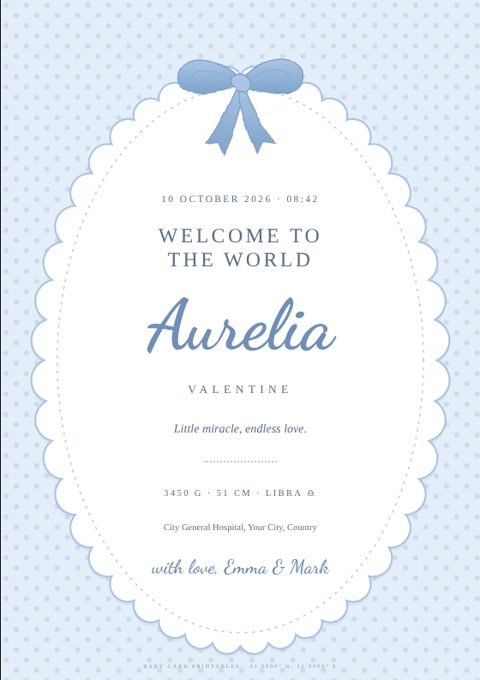
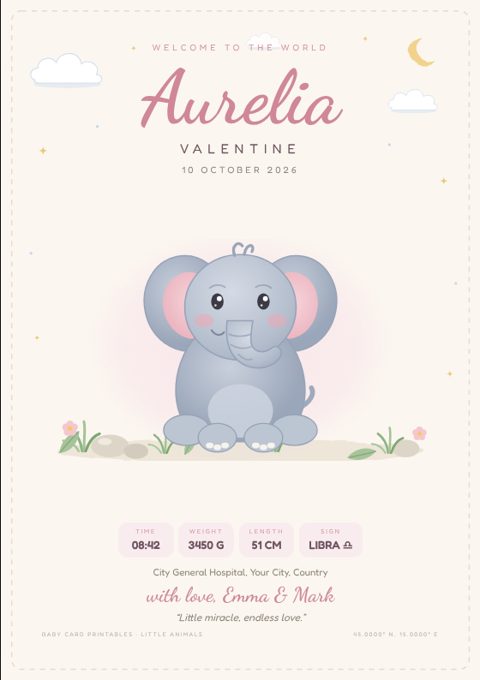
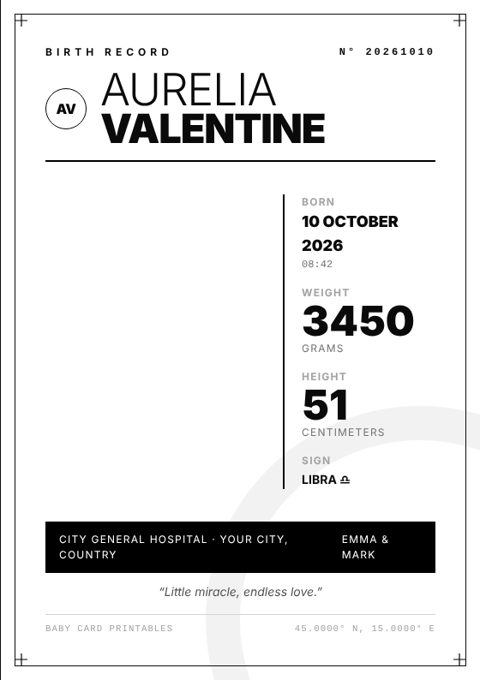
Open the baby stats card maker, type the name, date, weight and length, add a photo and choose one of twenty designs. Put your chosen line in the short message field and the parents' names under Mother and Father. Then download a PDF to print at home or at a print shop, or a picture to send by phone. See our printing tips for paper and sizes.
Questions
Should a birth announcement include weight and length?
It is traditional, and many people love seeing how small the baby was, but it is up to you. Each detail can be switched off in the card maker.
Is it okay to send an announcement late?
Yes. A card sent at three or four months is still welcome. You can mention the age, such as "Meet [Name], now three months old".
Can I make an announcement without a photo?
Yes. Switch off Show photo: many designs, such as Little Animals and Bow & Dots, look complete without one.
Is the card maker free?
Yes. Make and download as many cards as you like, with no sign-up. Your photo stays on your device.